
Informatica
Report Authoring Tool
Designing a system to transform complex datasets into reports, charts, and KPIs
Designing a system to transform complex datasets into reports, charts, and KPIs
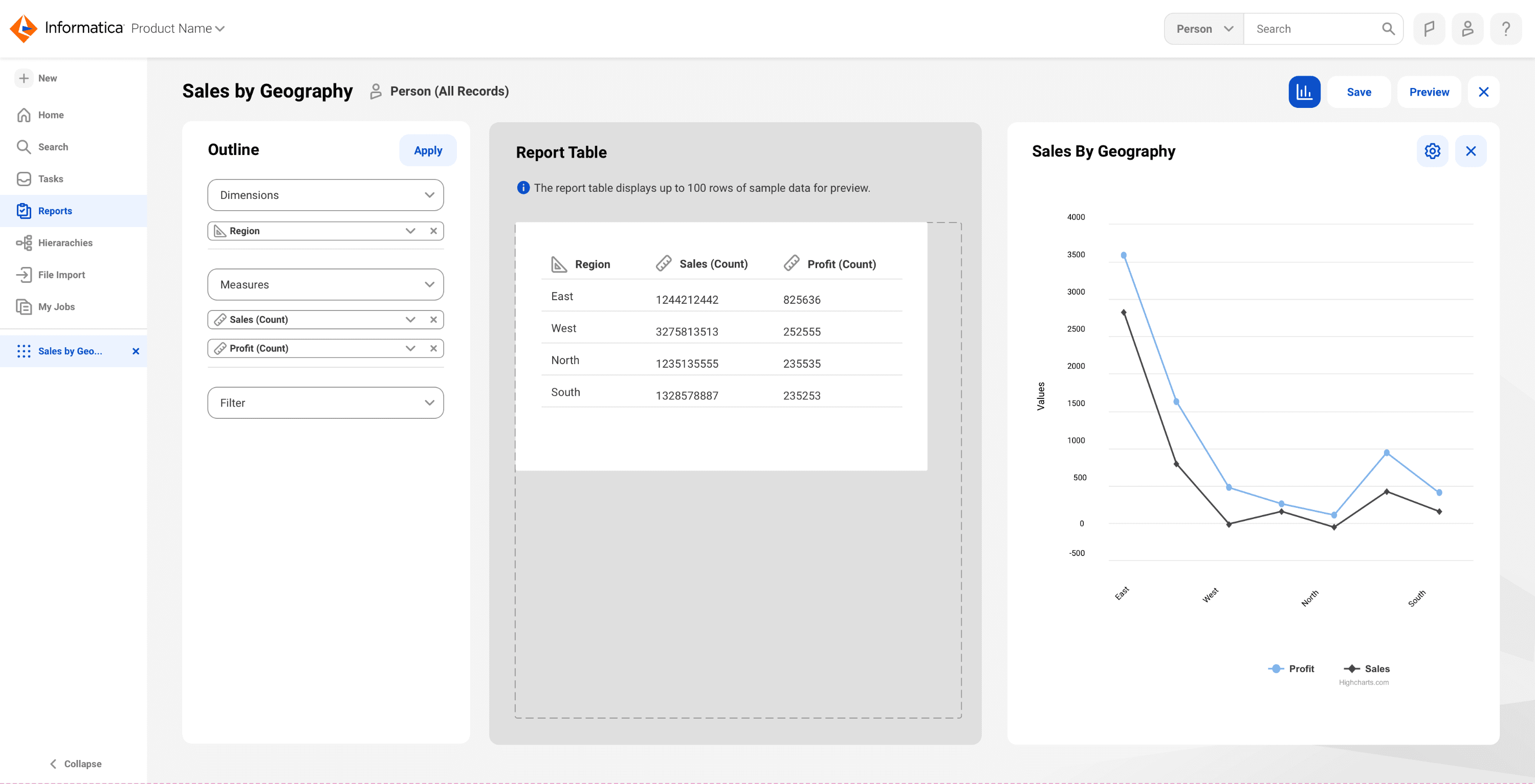
Platforms
Desktop cloud app, SaaS
Timeline
2023
Teams
Product | Engineering | Design | UXR
My role
In a complex B2B data environment, I co-led the design of a report authoring tool for Informatica’s Master Data Management platform. Working in a team of two designers, I helped define and design a 0→1 experience that enables business and technical users to transform large-scale datasets into reports, charts, and KPI visualizations. I partnered closely with Product and Engineering to translate complex data workflows into a structured, scalable, and user-friendly experience.
Impact
First ever
End-to-end reporting tool
-30%
Report creation time
Scale
Dashboards, charts, KPIs
Context
The platform aggregates enterprise data across systems to provide a 360° business view.
This tool needed to support:
Business users → create reports & insights
Technical users → configure datasets
Research and understanding
To ground the problem, we conducted market and product research, analyzing tools like Tableau and Salesforce Lightning to understand common patterns in report creation and data visualization.
We paired this with internal discovery- working with product managers and domain experts to map how MDM customers structured and interacted with their data.
This helped us understand the core mental model: users needed to combine dimensions, measures, and filters to generate meaningful outputs- but the process was often technical, fragmented, and unintuitive for business users.
Design process
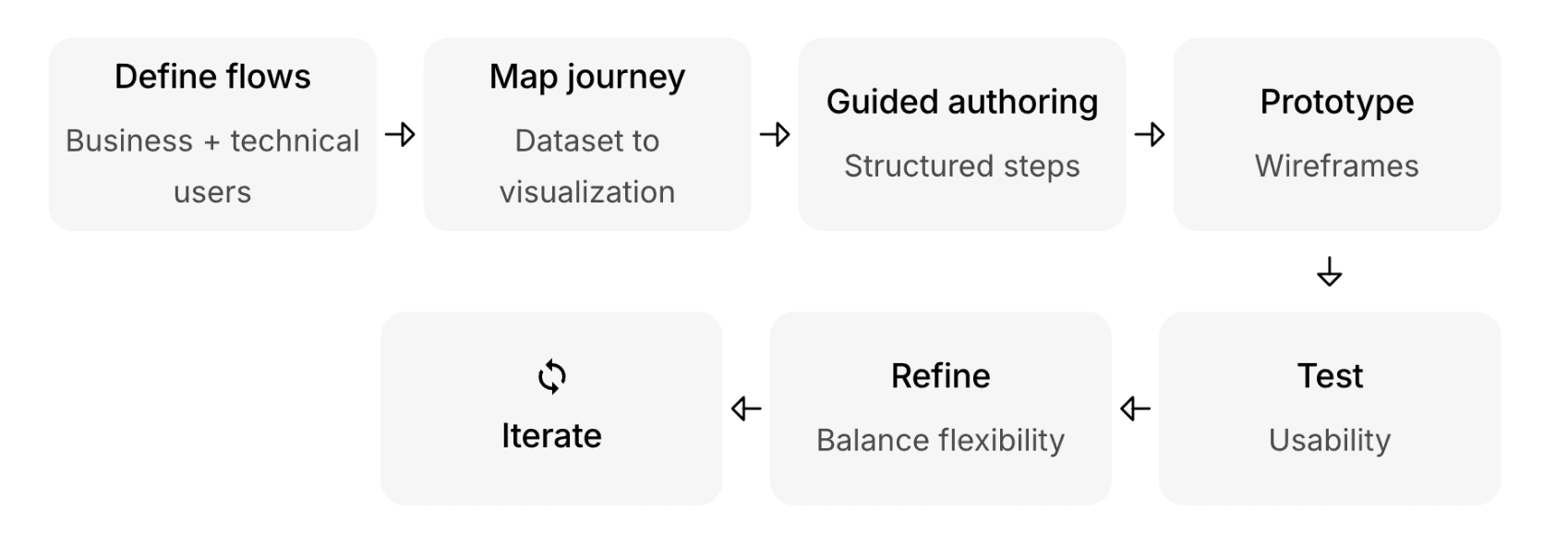
How the system works
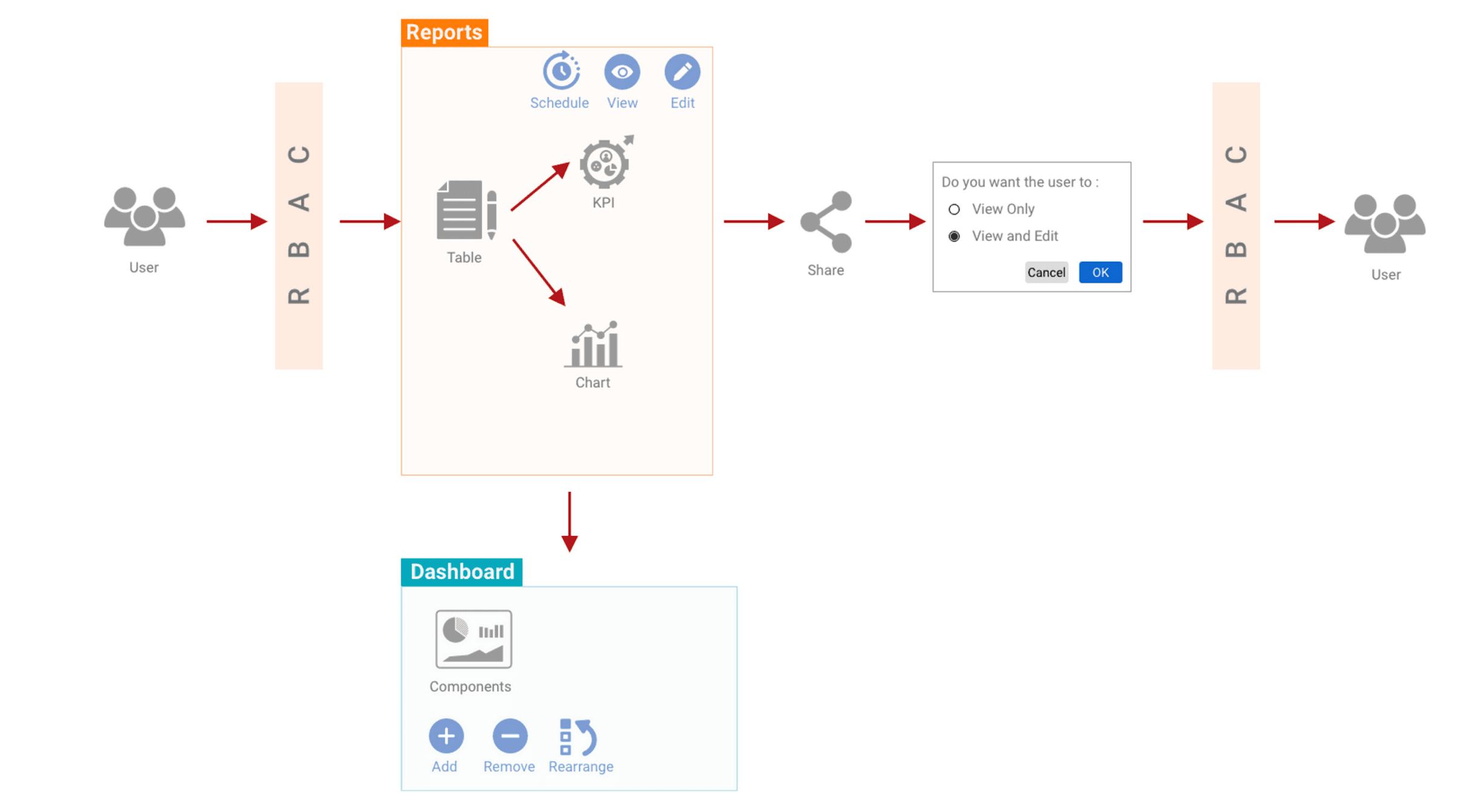
Designing beyond screens: building a scalable reporting system
Context
The platform aggregates enterprise data across systems to provide a 360° business view.
This tool needed to support:
Business users → create reports & insights
Technical users → configure datasets
Research & understanding
To ground the problem, we conducted market and product research, analyzing tools like Tableau and Salesforce Lightning to understand common patterns in report creation and data visualization.
We paired this with internal discovery- working with product managers and domain experts to map how MDM customers structured and interacted with their data.
This helped us understand the core mental model: users needed to combine dimensions, measures, and filters to generate meaningful outputs- but the process was often technical, fragmented, and unintuitive for business users.
Design process
How the System Works
Designing beyond screens: building a scalable reporting system
Key design areas
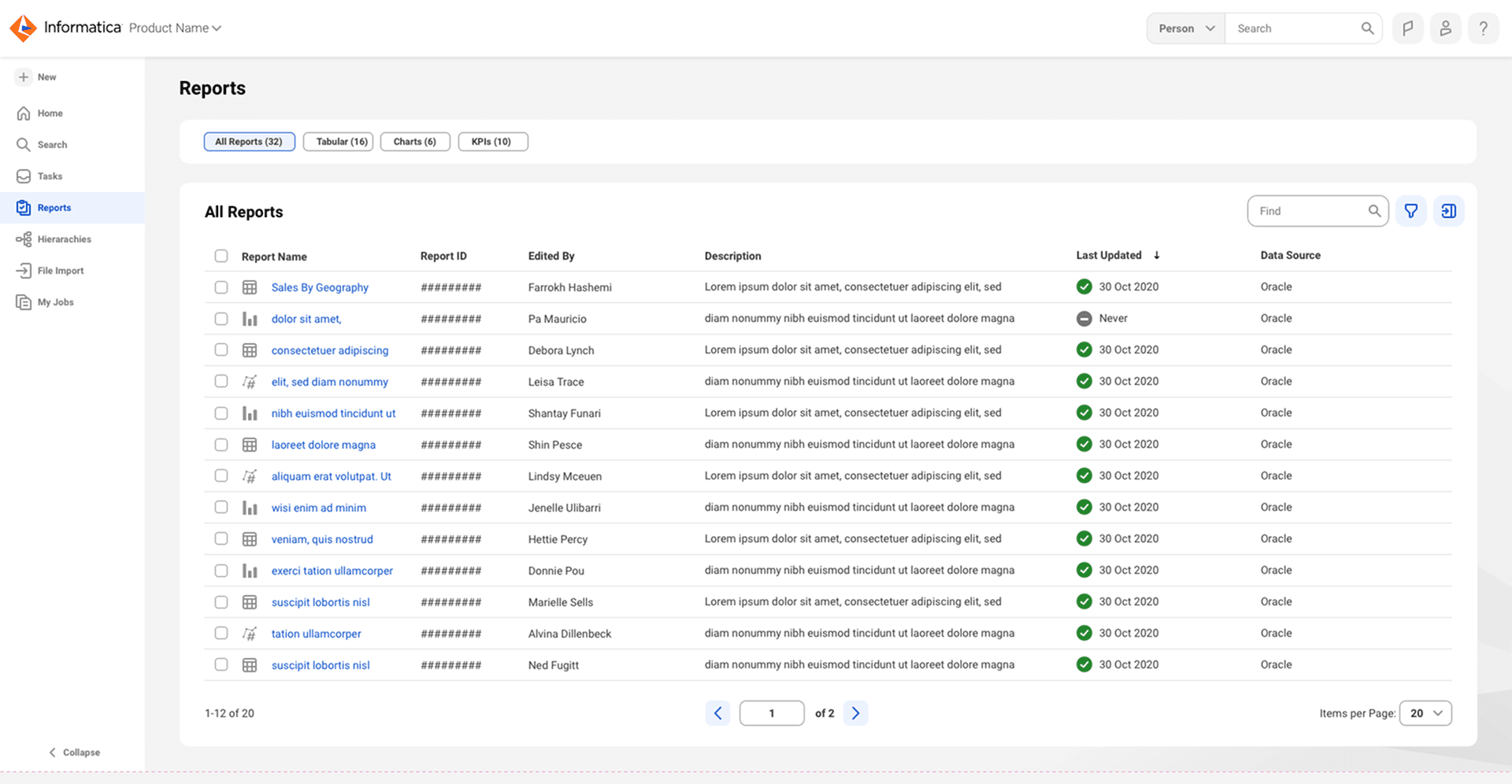
Reports repository
Centralized hub to manage and access reports
Search, filter, metadata
Quick navigation to dashboards
2. Authoring experience
Turned technical configuration into a structured UX flow
Dataset selection
Dimensions & measures setup
Filters and conditions
Live preview
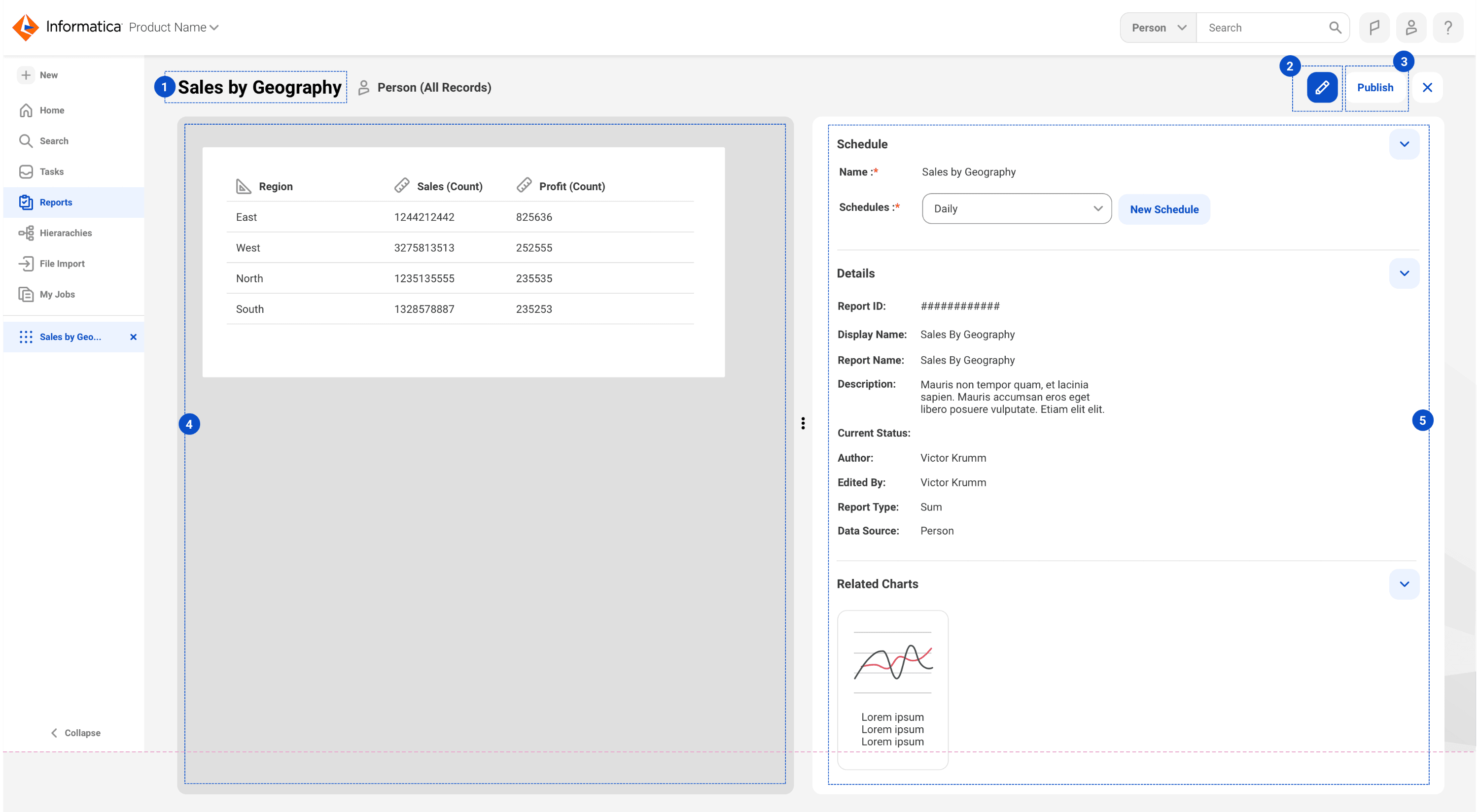
3. Visualization layer
Chart creation from reports
Multiple visualization types
Seamless transition from data → insight
4. End-to-end flow
Connected the full journey:
Dataset → Report → Chart → Dashboard
👉 Eliminated fragmented workflows
Context
The platform aggregates enterprise data across systems to provide a 360° business view.
This tool needed to support:
Business users → create reports & insights
Technical users → configure datasets
Research & understanding
To ground the problem, we conducted market and product research, analyzing tools like Tableau and Salesforce Lightning to understand common patterns in report creation and data visualization.
We paired this with internal discovery- working with product managers and domain experts to map how MDM customers structured and interacted with their data.
This helped us understand the core mental model: users needed to combine dimensions, measures, and filters to generate meaningful outputs- but the process was often technical, fragmented, and unintuitive for business users.
How the system works
Designing beyond screens: building a scalable reporting system
Key design areas
Outcome
Enabled end-to-end report creation for the first time within the MDM platform
Reduced report creation time by ~30% through guided workflows
Increased adoption of reporting capabilities among business users (~20–25%)
Established a scalable foundation for dashboards, charts, and KPI visualization
My role
In a complex B2B data environment, I co-led the design of a report authoring tool for Informatica’s Master Data Management platform. Working in a team of two designers, I helped define and design a 0→1 experience that enables business and technical users to transform large-scale datasets into reports, charts, and KPI visualizations. I partnered closely with Product and Engineering to translate complex data workflows into a structured, scalable, and user-friendly experience.
Impact
First ever
End-to-end reporting tool (within MDM)
-30%
Report creation time
Scale
Dashboards, charts, KPIs
Platforms
Desktop cloud app
Timeline
2023
Teams
Product | Engineering | Design | UXR
Reports repository
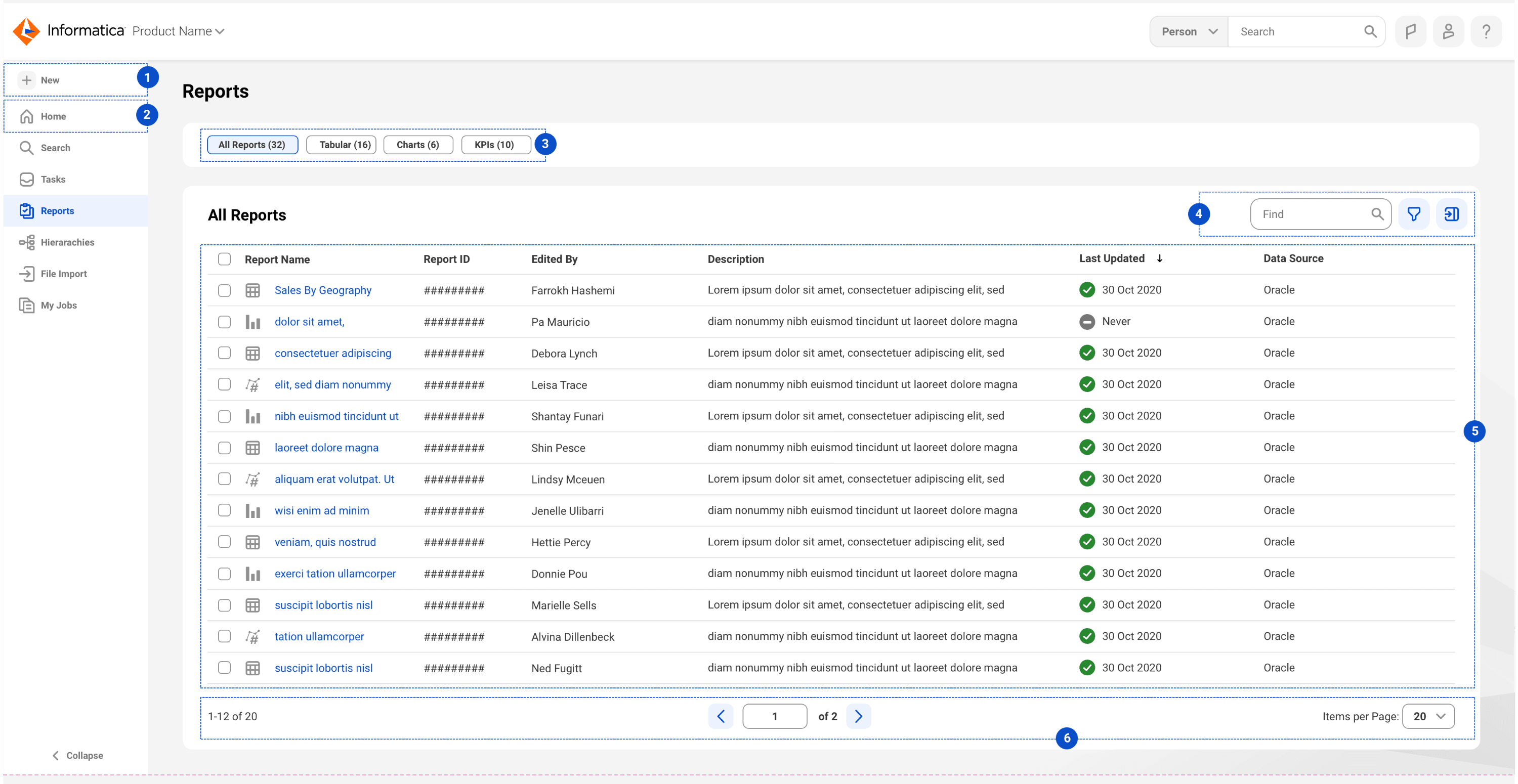
Centralized hub to manage and access reports
Search, filter, metadata
Quick navigation to dashboards
2. Authoring experience
Turned technical configuration into a structured UX flow
Dataset selection
Dimensions & measures setup
Filters and conditions
Live preview
3. Visualization layer
Chart creation from reports
Multiple visualization types
Seamless transition from data → insight
4. End-to-end flow
Connected the full journey:
Dataset → Report → Chart → Dashboard
👉 Eliminated fragmented workflows
Outcome
Enabled end-to-end report creation for the first time within the MDM platform
Reduced report creation time by ~30% through guided workflows
Increased adoption of reporting capabilities among business users (~20–25%)
Established a scalable foundation for dashboards, charts, and KPI visualization
Outcome
Enabled end-to-end report creation for the first time within the MDM platform
Reduced report creation time by ~30% through guided workflows
Increased adoption of reporting capabilities among business users (~20–25%)
Established a scalable foundation for dashboards, charts, and KPI visualization
Outcome
Enabled end-to-end report creation for the first time within the MDM platform
Reduced report creation time by ~30% through guided workflows
Increased adoption of reporting capabilities among business users (~20–25%)
Established a scalable foundation for dashboards, charts, and KPI visualization
Crafted with creativity, late-night iterations, Ctrl+Z reflexes, and a carefully curated playlist.
© Chen Segal 2025
© Chen Segal 2025
Crafted with creativity, late-night iterations, Ctrl+Z reflexes, and a carefully curated playlist.
© Chen Segal 2025